【ROBOT.0x00】如何在不拆开机器狗的情况下优雅地对其进行二开

前情:学校之前买了台机器狗,最近Yeuoui提起这个事说有空可以到实验室里来玩玩,但由于是学校的东西笔者又不是正经大学生(苦逼高中生一枚)没有对于机器人方向有深入的了解因此只打算玩玩简单的功能因此也不太敢拆(主要是Yeuoui说怕拆了装不回去(悲)),那我们只能来探讨下怎么在不拆狗的情况下去做些更意义不明有意思的事情。

环境搭建

我们的机器狗的型号是Unitree Go2 Pro,我的环境是Ubuntu22.04。

安装ROS2

1
git clone https://github.com/unitreerobotics/unitree_ros2.git

首先把ros的源码拉下来然后编译,ROS 2 Humble:

1
2
3
4
5
6
7
8
9
10
# 1. 启用 Ubuntu Universe 仓库
sudo apt install software-properties-common
sudo add-apt-repository universe

# 2. 添加 ROS 2 GPG 密钥
sudo apt update && sudo apt install curl -y
sudo curl -sSL https://raw.githubusercontent.com/ros/rosdistro/master/ros.key -o /usr/share/keyrings/ros-archive-keyring.gpg

# 3. 添加 ROS 2 仓库到源列表
echo "deb [arch=$(dpkg --print-architecture) signed-by=/usr/share/keyrings/ros-archive-keyring.gpg] http://packages.ros.org/ros2/ubuntu $(source /etc/os-release && echo $UBUNTU_CODENAME) main" | sudo tee /etc/apt/sources.list.d/ros2.list > /dev/null

接下来安装ROS2 Humble:

1
2
# 安装 ROS 2 Humble 桌面版(包含所有常用工具)
sudo apt install ros-humble-desktop python3-colcon-common-extensions

然后是安装 Go2 需要的 ROS 2 包

1
2
3
# 安装依赖包
sudo apt install ros-humble-rmw-cyclonedds-cpp
sudo apt install ros-humble-rosidl-generator-dds-idl

配置 ROS 2 环境:

1
2
3
4
5
6
# 将 ROS 2 环境变量添加到 .bashrc
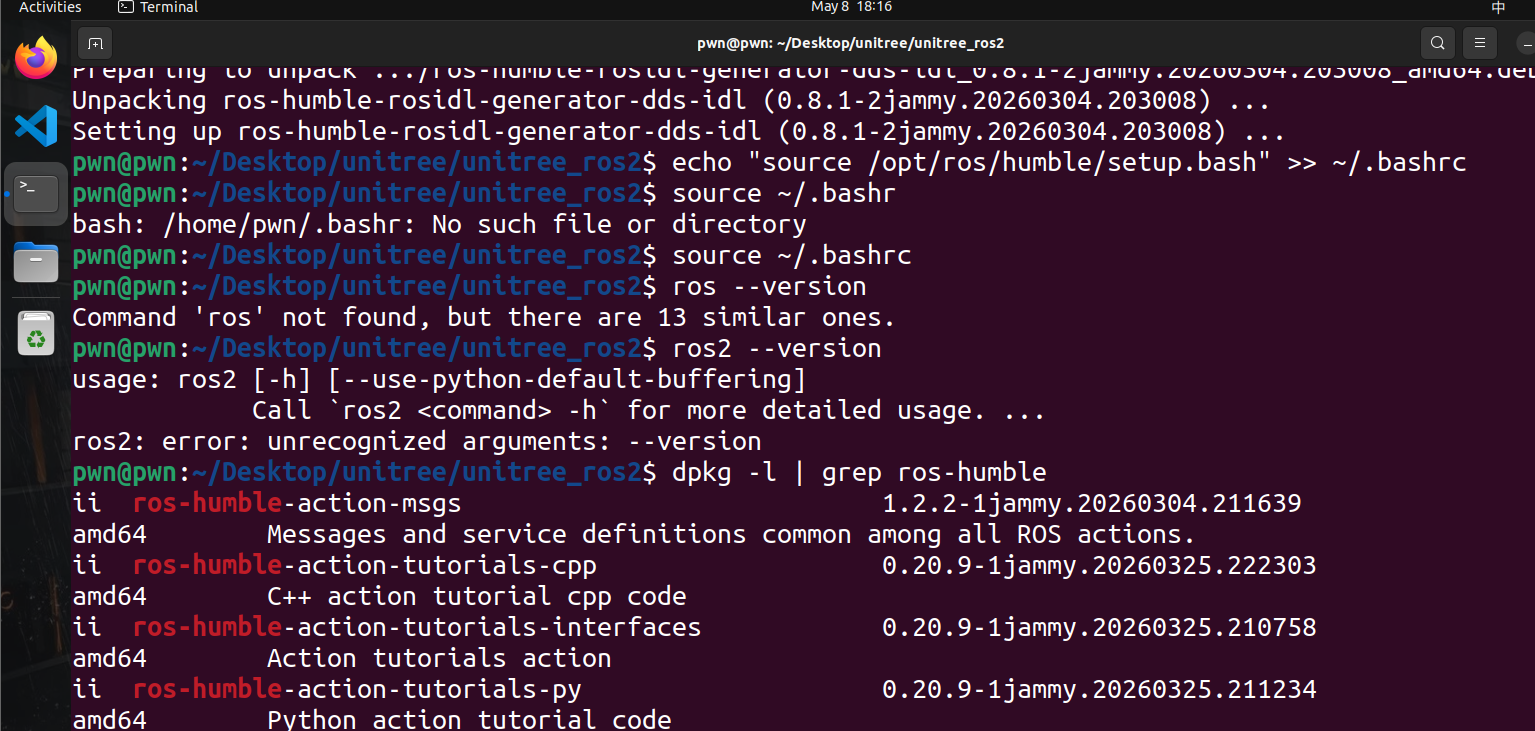
echo "source /opt/ros/humble/setup.bash" >> ~/.bashrc
source ~/.bashrc

# 验证安装
ros2 --version

看到类似的输出就说明你的环境配置好辣~

打pwn的ubuntu用来搞机器狗可还行(

编译Unitree的代码

编译 DDS 中间件,这个编译需要 3-5 分钟,会看到大量编译输出。

1
2
cd ~/unitree_ros2/unitree_ros2/cyclonedds_ws
colcon build

报错了:

1
2
3
4
5
6
7
8
9
10
11
12
13
14
15
16
17
18
19
20
21
22
23
24
25
26
27
28
29
30
31
32
33
34
35
36
37
38
39
40
41
42
43
44
45
46
47
48
49
50
51
52
53
54
55
56
57
58
59
60
61
62
63
64
65
66
67
pwn@pwn:~/Desktop/unitree/unitree_ros2/cyclonedds_ws$ ls
src
pwn@pwn:~/Desktop/unitree/unitree_ros2/cyclonedds_ws$ colcon build
Starting >>> unitree_api
Starting >>> unitree_go
Starting >>> unitree_hg
--- stderr: unitree_hg
CMake Error at /opt/ros/humble/share/rosidl_adapter/cmake/rosidl_adapt_interfaces.cmake:59 (message):
execute_process(/usr/bin/python3 -m rosidl_adapter --package-name
unitree_hg --arguments-file
/home/pwn/Desktop/unitree/unitree_ros2/cyclonedds_ws/build/unitree_hg/rosidl_adapter__arguments__unitree_hg.json
--output-dir
/home/pwn/Desktop/unitree/unitree_ros2/cyclonedds_ws/build/unitree_hg/rosidl_adapter/unitree_hg
--output-file
/home/pwn/Desktop/unitree/unitree_ros2/cyclonedds_ws/build/unitree_hg/rosidl_adapter/unitree_hg.idls)
returned error code 1:

AttributeError processing template 'msg.idl.em'

Traceback (most recent call last):

File "/opt/ros/humble/local/lib/python3.10/dist-packages/rosidl_adapter/resource/__init__.py", line 51, in evaluate_template
em.BUFFERED_OPT: True,

AttributeError: module 'em' has no attribute 'BUFFERED_OPT'


During handling of the above exception, another exception occurred:


Traceback (most recent call last):

File "/usr/lib/python3.10/runpy.py", line 196, in _run_module_as_main
return _run_code(code, main_globals, None,
File "/usr/lib/python3.10/runpy.py", line 86, in _run_code
exec(code, run_globals)
File "/opt/ros/humble/local/lib/python3.10/dist-packages/rosidl_adapter/__main__.py", line 19, in <module>
sys.exit(main())
File "/opt/ros/humble/local/lib/python3.10/dist-packages/rosidl_adapter/main.py", line 53, in main
abs_idl_file = convert_to_idl(
File "/opt/ros/humble/local/lib/python3.10/dist-packages/rosidl_adapter/__init__.py", line 19, in convert_to_idl
return convert_msg_to_idl(
File "/opt/ros/humble/local/lib/python3.10/dist-packages/rosidl_adapter/msg/__init__.py", line 39, in convert_msg_to_idl
expand_template('msg.idl.em', data, output_file, encoding='iso-8859-1')
File "/opt/ros/humble/local/lib/python3.10/dist-packages/rosidl_adapter/resource/__init__.py", line 23, in expand_template
content = evaluate_template(template_name, data)
File "/opt/ros/humble/local/lib/python3.10/dist-packages/rosidl_adapter/resource/__init__.py", line 69, in evaluate_template
_interpreter.shutdown()

AttributeError: 'NoneType' object has no attribute 'shutdown'

Call Stack (most recent call first):
/opt/ros/humble/share/rosidl_cmake/cmake/rosidl_generate_interfaces.cmake:130 (rosidl_adapt_interfaces)
CMakeLists.txt:28 (rosidl_generate_interfaces)


---
Failed <<< unitree_hg [1.24s, exited with code 1]
Aborted <<< unitree_api [1.25s]
Aborted <<< unitree_go [1.24s]

Summary: 0 packages finished [1.61s]
1 package failed: unitree_hg
2 packages aborted: unitree_api unitree_go
3 packages had stderr output: unitree_api unitree_go unitree_hg

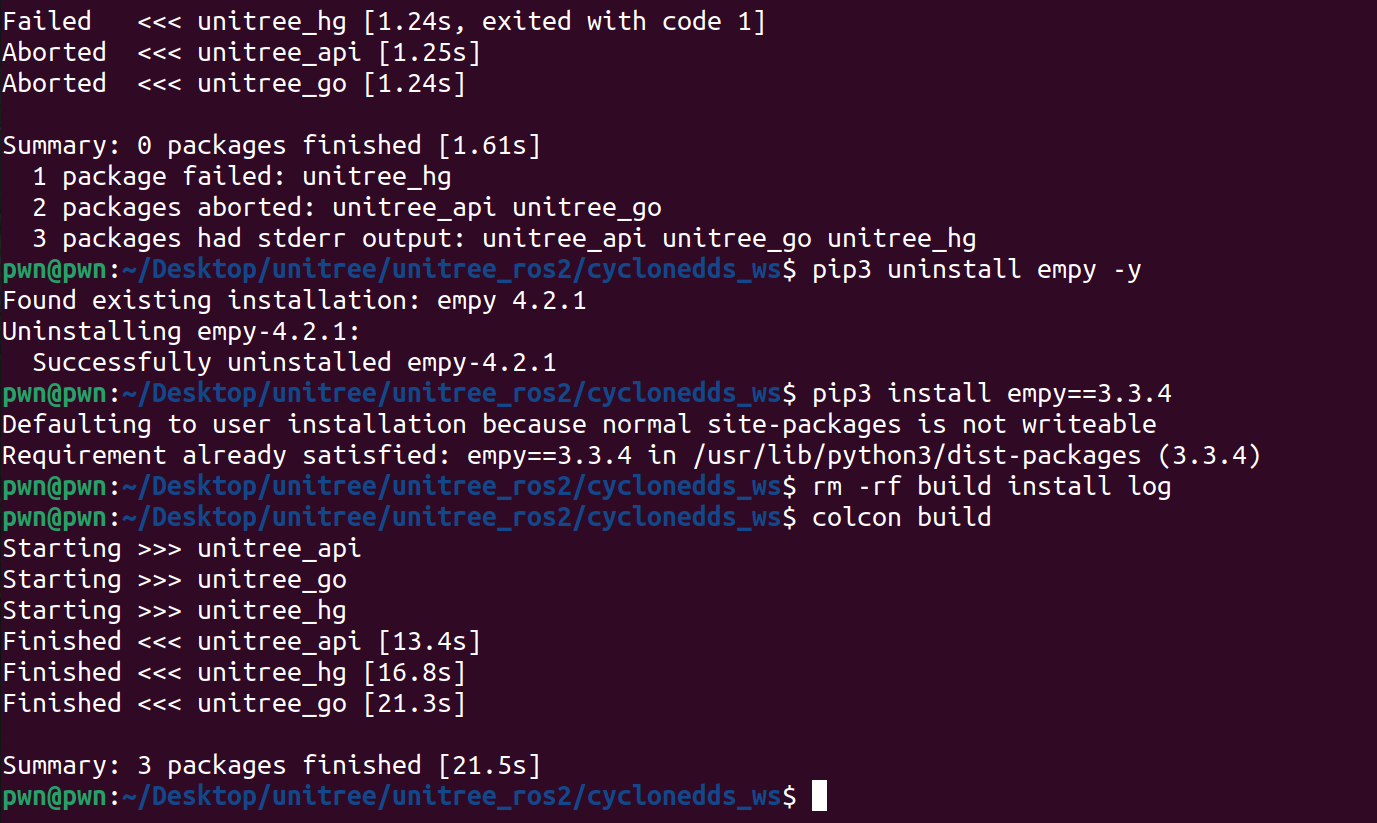
这是一个经典的 empy 版本兼容性问题。ROS 2 Humble 需要 empy 3.3.x 版本,但我安装了 4.2.1 版本,导致 API 不兼容。

我们重新安装正确的版本:

1
2
3
4
5
6
7
pwn@pwn:~/Desktop/unitree/unitree_ros2/cyclonedds_ws$ pip3 uninstall empy -y
Found existing installation: empy 4.2.1
Uninstalling empy-4.2.1:
Successfully uninstalled empy-4.2.1
pwn@pwn:~/Desktop/unitree/unitree_ros2/cyclonedds_ws$ pip3 install empy==3.3.4
Defaulting to user installation because normal site-packages is not writeable
Requirement already satisfied: empy==3.3.4 in /usr/lib/python3/dist-packages (3.3.4)

好啦!

编译一个消息包和实例

加载 DDS 环境并编译消息包

1
2
3
4
5
cd ~/Desktop/unitree/unitree_ros2/cyclonedds_ws
source install/setup.bash

# 编译消息定义包
colcon build --packages-select unitree_go unitree_hg unitree_api

编译示例程序

1
2
cd ~/Desktop/unitree/unitree_ros2/example
colcon build

验证一下结果:

1
ls ~/Desktop/unitree/unitree_ros2/example/install/unitree_ros2_example/bin/

网络配置

找一下你的网卡

1
2
3
4
5
pwn@pwn:~/Desktop/unitree/unitree_ros2/example$ ip a | grep "^[0-9]"
1: lo: <LOOPBACK,UP,LOWER_UP> mtu 65536 qdisc noqueue state UNKNOWN group default qlen 1000
2: ens33: <BROADCAST,MULTICAST,UP,LOWER_UP> mtu 1500 qdisc fq_codel state UP group default qlen 1000
3: virbr0: <NO-CARRIER,BROADCAST,MULTICAST,UP> mtu 1500 qdisc noqueue state DOWN group default qlen 1000
4: docker0: <NO-CARRIER,BROADCAST,MULTICAST,UP> mtu 1500 qdisc noqueue state DOWN group default

修改 setup.sh:

1
2
cd ~/Desktop/unitree/unitree_ros2
sudo vim setup.sh

将文件修改为(把 YOUR_NETWORK_INTERFACE 换成你的实际网卡名):

1
2
3
4
5
6
7
8
#!/bin/bash
echo "Setup unitree ros2 environment"
source /opt/ros/humble/setup.bash
source ~/Desktop/unitree/unitree_ros2/cyclonedds_ws/install/setup.bash
export RMW_IMPLEMENTATION=rmw_cyclonedds_cpp
export CYCLONEDDS_URI='<CycloneDDS><Domain><General><Interfaces>
<NetworkInterface name="YOUR_NETWORK_INTERFACE" priority="default" multicast="default" />
</Interfaces></General></Domain></CycloneDDS>'

然后添加网卡配置并重新加载:

1
2
3
# 加载环境
cd ~/Desktop/unitree/unitree_ros2
source ./setup.sh

通信测试

我们先使用AP模式:

1
2
3
4
5
6
# 1. 连接 Go2 热点
nmcli dev wifi list # 查看可用网络
nmcli dev wifi connect "Go2_XXXXXX" password "12345678"

# 2. 测试连接
ping 192.168.64.1

貌似需要一个无线网卡,先就等到下周继续补完


【ROBOT.0x00】如何在不拆开机器狗的情况下优雅地对其进行二开
https://zer0ptr.github.io/2026/05/06/unitree-debug-learning-1/
作者
zer0ptr
发布于
2026年5月6日
更新于
2026年5月8日
许可协议